Introducing the DNSimple CLI: Manage Your DNS from the Command Line
 Simone Carletti
on
Simone Carletti
on
Update: June 2026
The CLI now supports interactive browser login using OAuth 2.0 with PKCE, so you can authenticate without generating and pasting an API token. Read more in Log in to the DNSimple CLI from Your Browser.
After months of development, private beta testing, and more iterations than we care to admit, the DNSimple CLI is officially launched and ready for you to use.
The DNSimple CLI is a small, single binary that wraps our DNSimple API and lets you manage domains, DNS records, certificates, and the rest of your DNSimple account directly from the terminal. This isn't the first CLI we've created at DNSimple (more on that later), but I would argue it is the most comprehensive and complete CLI we've ever written.
It's designed for two audiences at once: humans who like a fast, predictable command-line tool, and AI/LLM agents that need a stable, scriptable surface to act on your behalf.
Read on to find out how to get started with the CLI, more history about CLIs at DNSimple, and examples showing how to use the CLI in various common workflows you'll encounter when working with domain names, DNS, and certificates.
Get started in one minute
The DNSimple CLI ships as a static binary, with native installers for the major platforms.
On macOS or Linux, install it via Homebrew:
brew install dnsimple/tap/dnsimple
Or run the install script:
curl -fsSL https://cli-beta.dnsimple.com/install.sh | sh
On Windows, run the PowerShell installer:
irm "https://cli-beta.dnsimple.com/install.ps1" | iex
The full reference, including authentication, contexts, and every command, lives in the DNSimple CLI documentation.
We also prepared an introductory video:
Why we built it
DNSimple has always positioned itself as the DNS provider for developers, and a CLI is a natural fit with that identity. It meets our core audience exactly where they spend their time, in the terminal. The proof is in the wild: several unofficial DNSimple CLIs have been built by the community over the years, well before this official release.
Our goal with the CLI is to make pragmatic access to the DNSimple API as easy as possible. The DNSimple API is one of the most complete in the industry, covering everything from domain registration to DNS records and certificates. It's great when you're building a system on top of it, but it's not the right shape for the everyday task of inspecting a zone, fixing a record, registering a domain, or scripting a quick automation. A CLI is, and it takes our automation story to the next level by exposing the full surface of the API behind a single, consistent command.
The CLI also bridges the gap between the web UI and infrastructure-as-code. As more teams manage infrastructure with Terraform, Pulumi, or CI pipelines, an official CLI means DNSimple fits naturally into those workflows, rather than being a manual step that breaks automation.
In the past few months, it has become evident how powerful the combination of a CLI and an AI agent can be. Debugging is more approachable, repetitive work across many resources collapses into a single instruction, and complex workflows can be composed conversationally. We wanted DNSimple to be a first-class citizen in that world, without sacrificing the experience for people who just want to type a command and read the output.
So the new CLI is built for both. The output is human-friendly by default, structured (JSON or Go templates) on demand, and the command tree is laid out so that an agent can discover and chain commands the same way a person would.
A short history of DNSimple CLIs
Believe it or not, this is not the first DNSimple CLI. It's the third.
The very first CLI shipped back in 2014, embedded inside our Ruby API client, our first official client library. You can still find the original split commit in the Ruby repository.
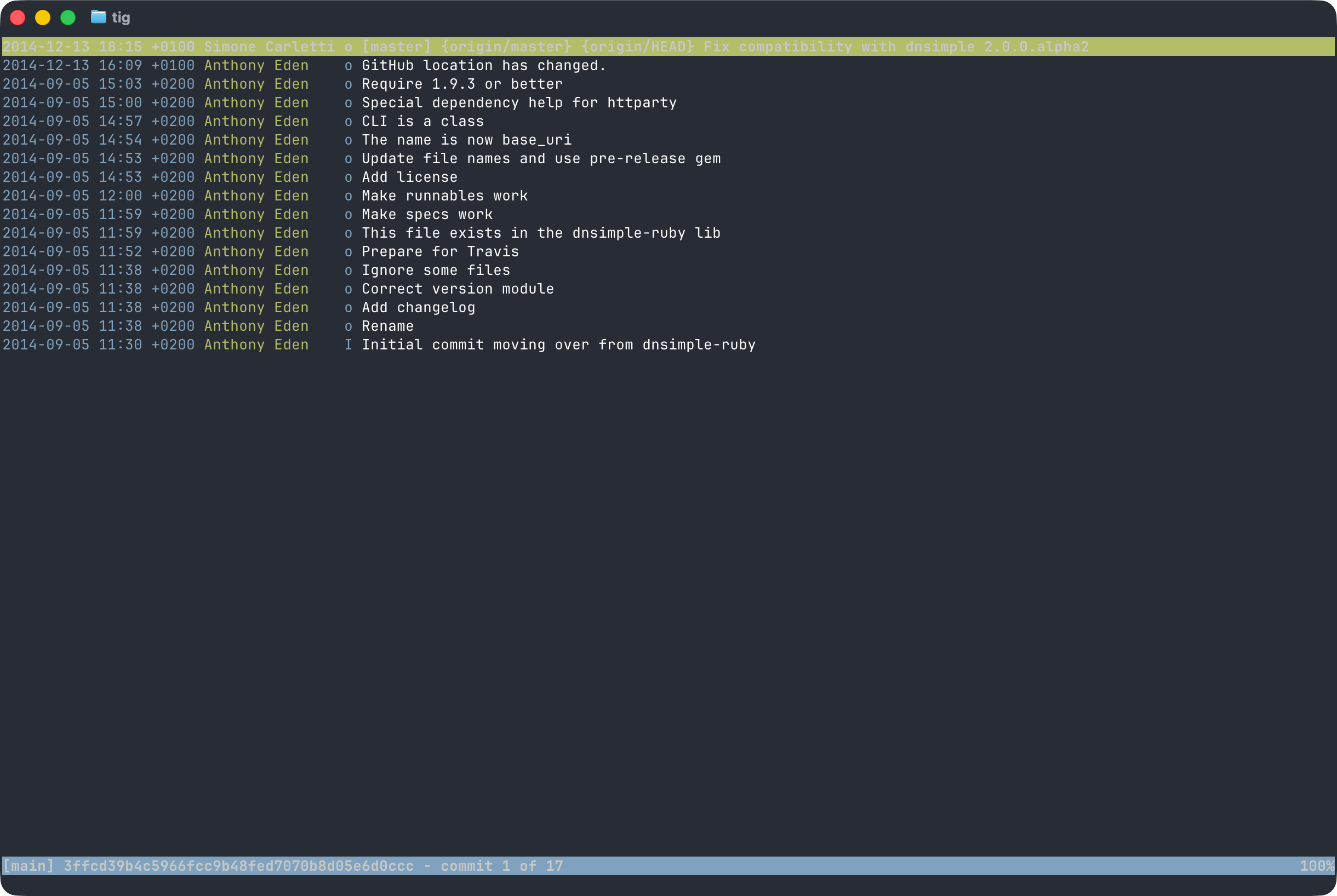
When we redesigned our API from v1 to v2, we extracted the CLI from the Ruby client. By then we were also shipping API clients in Go and Elixir, and we wanted a tool that wasn't tied to any single language.
Speaking of Elixir, around 2015 and 2016, a couple of years after we rolled out our Anycast network powered by an Erlang name server, we began experimenting with Elixir (same ecosystem) and released our third official API client. Many on the team were genuinely excited about the language, so we prototyped a v2 of the CLI in Elixir.
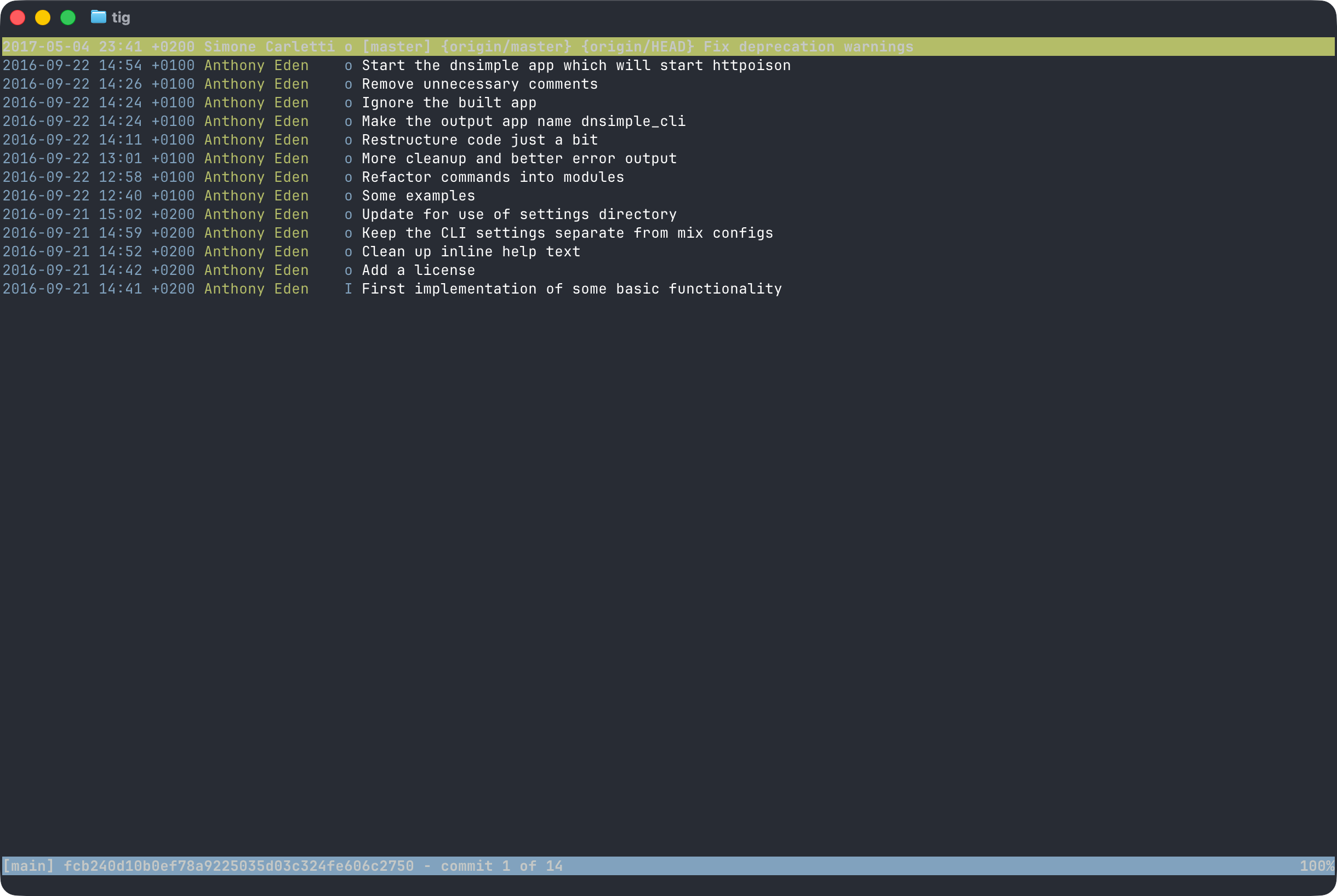
That version was never officially released or announced. It stayed in our Git organization as a spike.
Eventually, both CLIs went stale. Adoption didn't justify the maintenance burden, and the industry's attention had shifted from CLIs to infrastructure-as-code tools. We followed that shift and put our energy into supporting providers like the DNSimple Terraform provider, the Let's Encrypt Go provider, DNSControl, and others.
Most of those tools are built in Go, on top of our official Go API client. Over time, that client became the most battle-tested DNSimple library we maintain. It's also already in production inside Terraform, Kubernetes operators, and other large open-source projects. Go has a special place in my heart: back in 2016 I even gave a talk at dotGo on how we used Go to guide our API design decisions.
That sets the stage for what came next.
DNSimple CLI v3
This brings us to early 2026. No active CLI, nine official API clients, and one of the most powerful domain and DNS management APIs on the market. Meanwhile, the rise of agentic development has put CLIs back at the center of the workflow. As I wrote a few weeks ago:
I'm starting to realize the most exciting part of the 2026 agentic revolution goes well beyond writing code.
[…]
The real game changer is using agents to eliminate large-scale repetitive work. The kind of work that used to take hours (sometimes days) and was, frankly, mind-numbing.
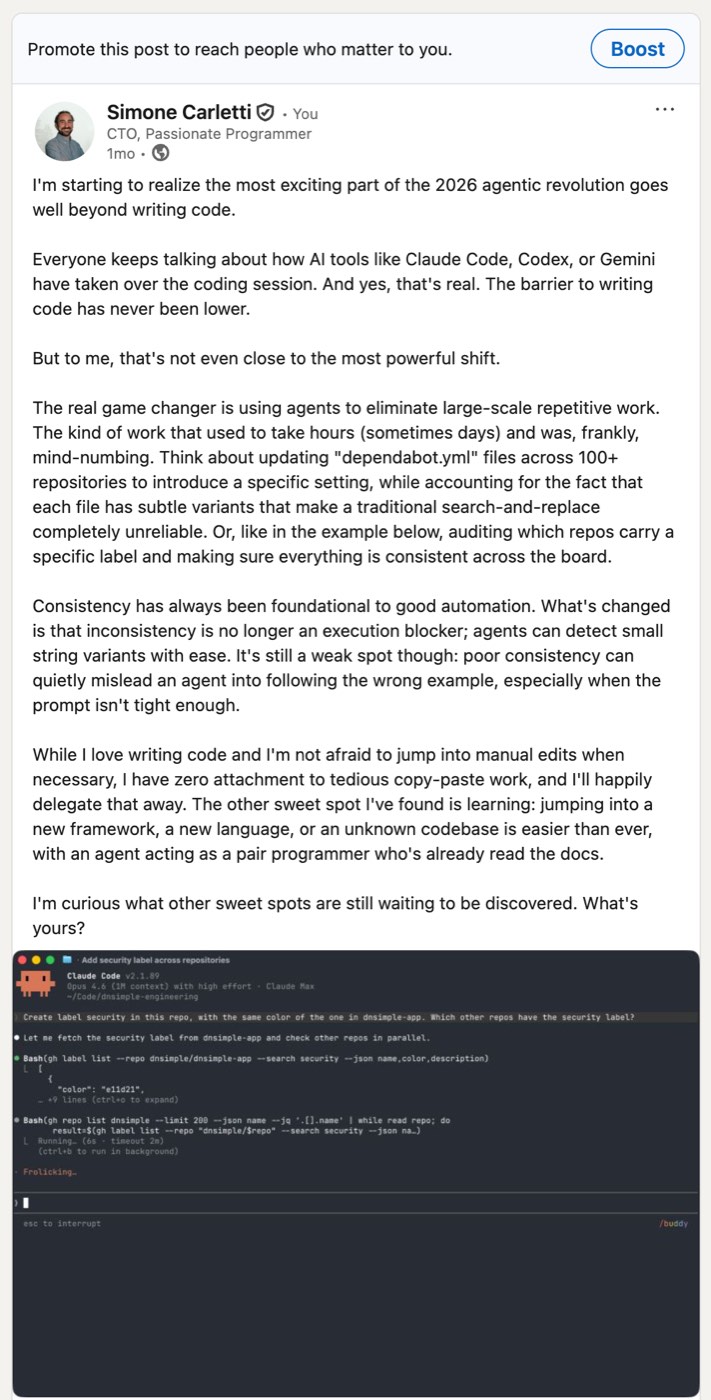
Internally, in our engineering team, and externally, from customers, the demand for a DNSimple CLI came back. So we decided to give it another shot, and design a new CLI from scratch against current best practices.
It turns out the most well-trodden path for building a serious CLI in Go is the combination of Cobra and Viper. Cobra handles the command tree and flag parsing, Viper handles configuration. The same pair powers kubectl, gh, hugo, and many others, so it was a natural choice for us, especially given that our Go client is by far the most widely deployed and publicly tested DNSimple library.
Once the structure was in place, building out the commands was largely a repetitive task: walk through every endpoint of the DNSimple API and expose it through a consistent surface. The hard part was everything else.
We spent most of our time on the user experience: making error messages useful, making destructive commands ask for confirmation in the right way, making output that you can read and pipe at the same time, and making sure the tool feels consistent across all the resources it touches. We also tested the CLI extensively with multiple AI models, watching how an agent uses it and adjusting until the conversation felt natural.
And then there was distribution. Today, the bar is that a CLI should install with a single command on every major platform, ship through popular package managers, and stay up to date on its own. This was the first time we worked through that pipeline end to end. The CLI is now distributed via Homebrew, POSIX and PowerShell install scripts with checksum verification, and go install. It also notifies you when a new version is available.
Built for AI agents from day one
The CLI is built for humans, but it's also designed to be a reliable tool surface for AI agents. Two pieces matter here.
First, output formats. Every command renders a friendly table by default, but --json returns structured output (with consistent envelope shape, including data and optional pagination), and --format evaluates a Go template against the underlying resource:
# Human-friendly
dnsimple domains list

# Structured, for scripts and agents
dnsimple domains list --json

# Custom projection
dnsimple domains list --format '{{range .}}{{.Name}}{{printf "\n"}}{{end}}'
Second, the CLI knows how to teach itself. Run:
dnsimple ai
and it prints a structured reference of every command, every flag, the global options, the available output formats, common workflows, and guidance on which command to pick when several overlap. You can paste this output into a prompt, or wire it into an agent as a bootstrapping step. It's designed to give an LLM enough context to use the CLI correctly without us writing a separate plugin or MCP server for every model.
In most modern AI agents, you can also simply start the conversation with a "Execute this action with dnsimple" (lowercase), and the agent should understand your request:
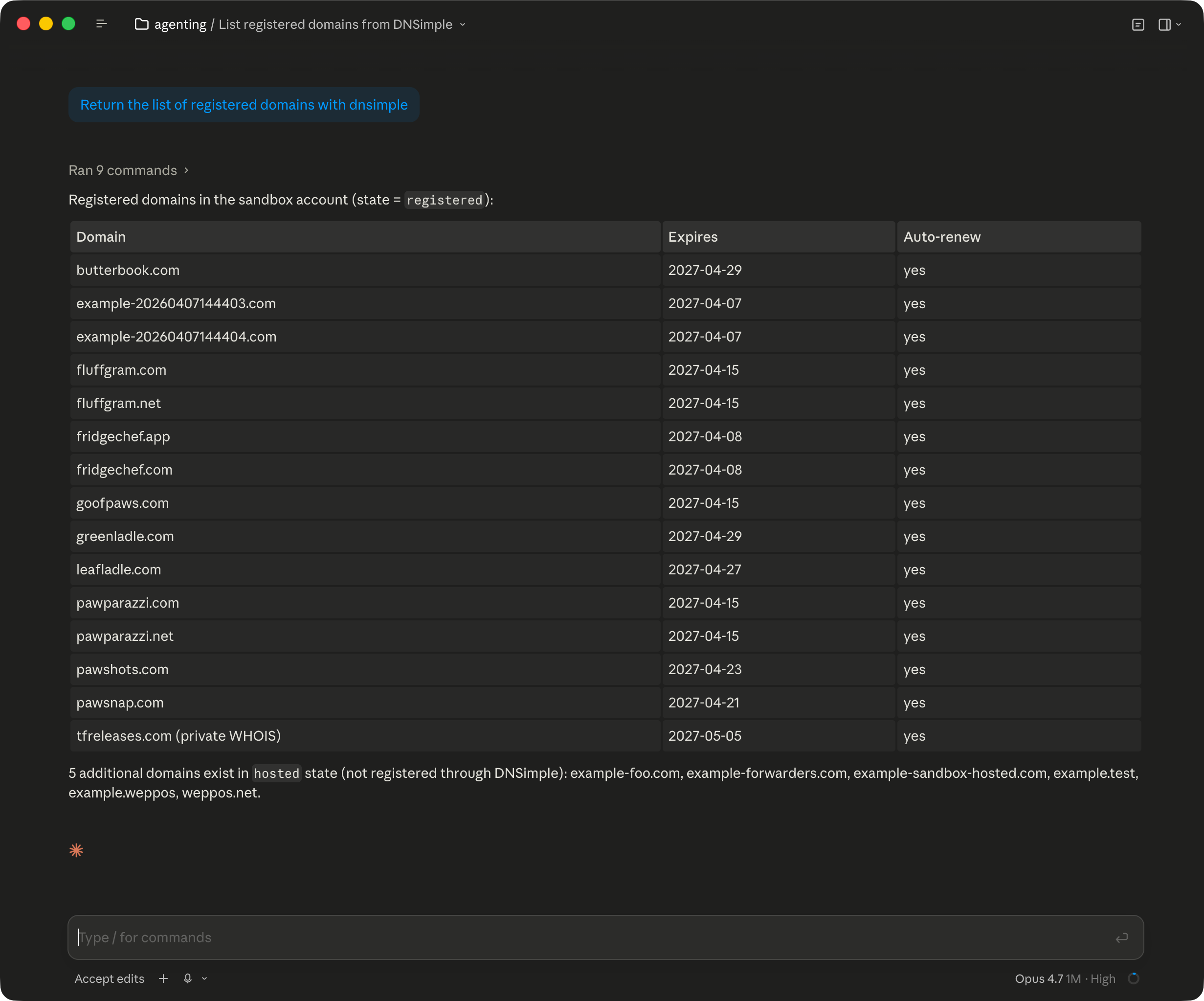
The same design also informed authentication. Stored credentials live in named contexts (kubectl-style), and a per-invocation --context <name> flag lets an agent (or a parallel shell) use a specific context for one command without ever mutating the active selection on disk:
dnsimple auth login --name production
dnsimple auth login --sandbox
dnsimple auth login --sandbox --name anothersandbox

# Run a command against the sandbox context without switching it on
# Use implicit name
dnsimple --context sandbox zones list

# Use explicit name
dnsimple --context anothersandbox zones list
That detail sounds small, but it's the difference between an agent that can safely run in parallel and one that can't.
A taste of the workflow
Our validation goal was simple: anyone should be able to register a domain and point it at their favorite hosting service with the minimum possible friction.
I think we nailed it.
Here's roughly what that looks like end to end:
# 1. Authenticate
dnsimple auth login

# 2. Check availability
dnsimple registrar check example.com

# 3. Register the domain
dnsimple registrar register example.com --registrant-id 1234

# 4. Activate DNS for the zone
dnsimple zones activate example.com

# 5. Point it at your host
dnsimple zones records create example.com \
  --type A --name "" --content 192.0.2.10 --ttl 3600
dnsimple zones records create example.com \
  --type CNAME --name www --content example.com --ttl 3600

# 6. Issue a Let's Encrypt certificate
dnsimple certificates letsencrypt purchase example.com
What's next
Over the last few weeks, I've been showcasing the CLI and its agent integration to customers, partners, and team members. I've come back with more ideas and feature requests than I know what to do with, which is a very good sign.
We want to keep exploring ways to make DNS simple. That means making domain registration easier, helping users troubleshoot common errors, and guiding them through resolving the most frequent incidents.
It also means making it trivial to migrate to DNSimple from any other provider. Today, you can already start a Claude Code session, drop in a screenshot of your DNS records from your current provider, and ask the agent to use the CLI to register the domain at DNSimple and recreate the zone. That's not a future demo, that's the workflow we tested.
DNSimple's vision is that operators of the Internet use DNSimple to unify their domain, DNS, and certificate management in one place and connect their domains to the services they use wherever those services are. The DNSimple CLI is a key part of making that vision real.
This release is the start of that journey, not the end.
Wrapping up
The new DNSimple CLI is available today. Read the installation guide, grab the binary, and let us know what you build with it. The source is on GitHub, issues and pull requests are always welcome.
If you hit a snag or develop a useful workflow, get in touch. We'd love to hear from you.
If you're not using DNSimple yet, give us a try free for 30 days and start managing your domains and DNS from the terminal with the new CLI.
Simone Carletti
Italian software developer, a PADI scuba instructor and a former professional sommelier. I make awesome code and troll Anthony for fun and profit.
We think domain management should be easy.
That's why we continue building DNSimple.